cPanel Resetting an Email Password
1. Accessing Email Account Settings:
- First, open your cPanel and log in (for a guide on how to do this look here)
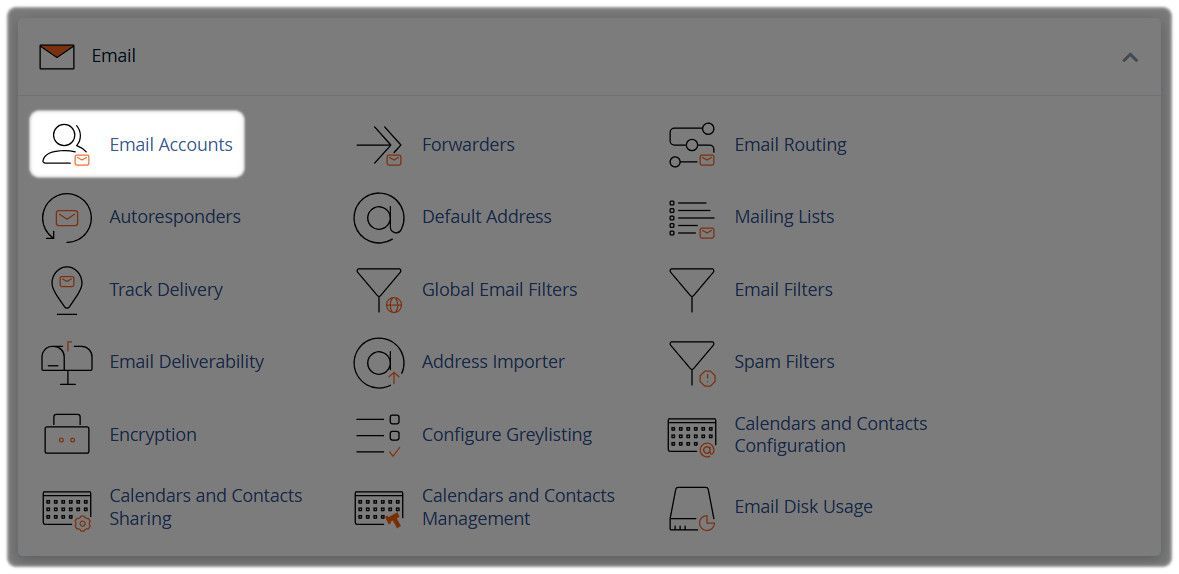
- Select "Email Accounts" from the "Email" sub-menu
2. Setting a New Password
- Find the email account you wish to reset from the list, then select "Manage"

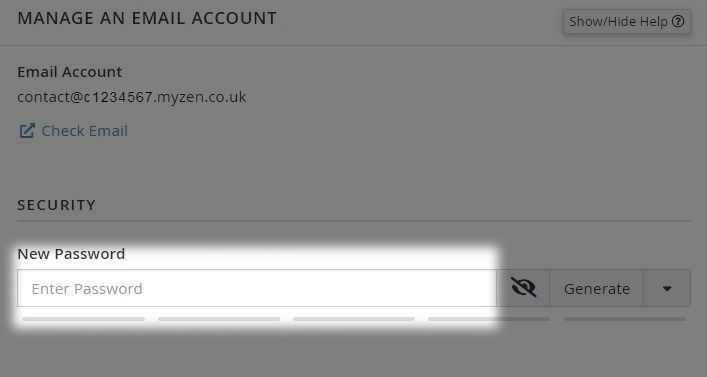
- In the "New Password" field enter or generate your new password for the email account
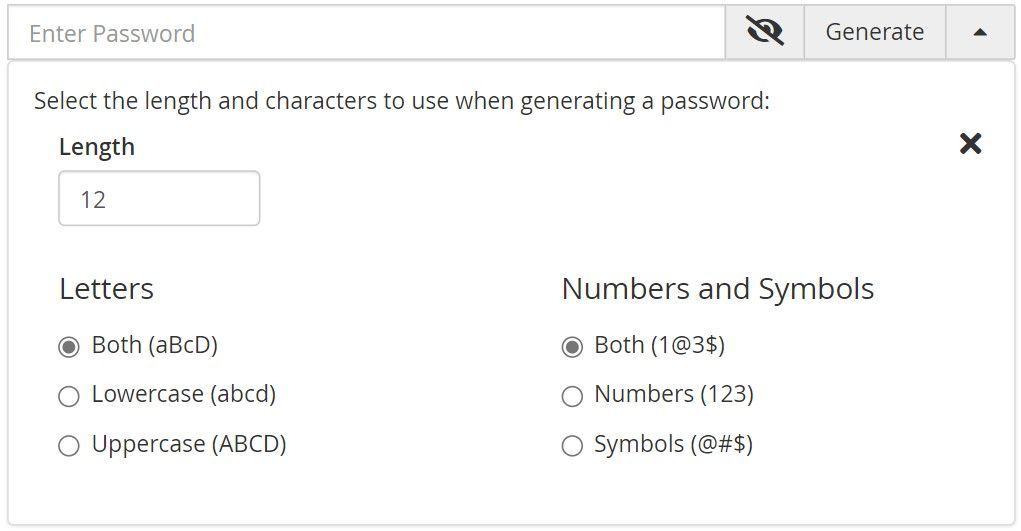
Note: You can set the parameters for password generation, by clicking the down arrow next to the "Generate" button.
This may help if you require a password without certain characters or of a specific length.
- Finally click the "Update Email Settings" button to confirm the change

Download the Zen mobile application to manage your broadband plans.


Apple and Apple logo are trademarks of Apple Inc. Google Play and the Google Play logo are trademarks of Google LLC.
