Managing Emails Disk Usage on cPanel
Before you Start:
If one or more email accounts are approaching their storage quota, we recommend monitoring mailbox usage regularly to help prevent mailboxes from reaching capacity and potentially affecting email delivery.
The following guides may help you manage and monitor mailbox storage:
These guides explain how to adjust mailbox storage limits and configure quota alerts so you can proactively manage email account usage.
Note: Mailboxes at capacity will not receive any new email.
1. Accessing Email Disk Usage Settings
- First, open your cPanel and log in (for a guide on how to do this look here)
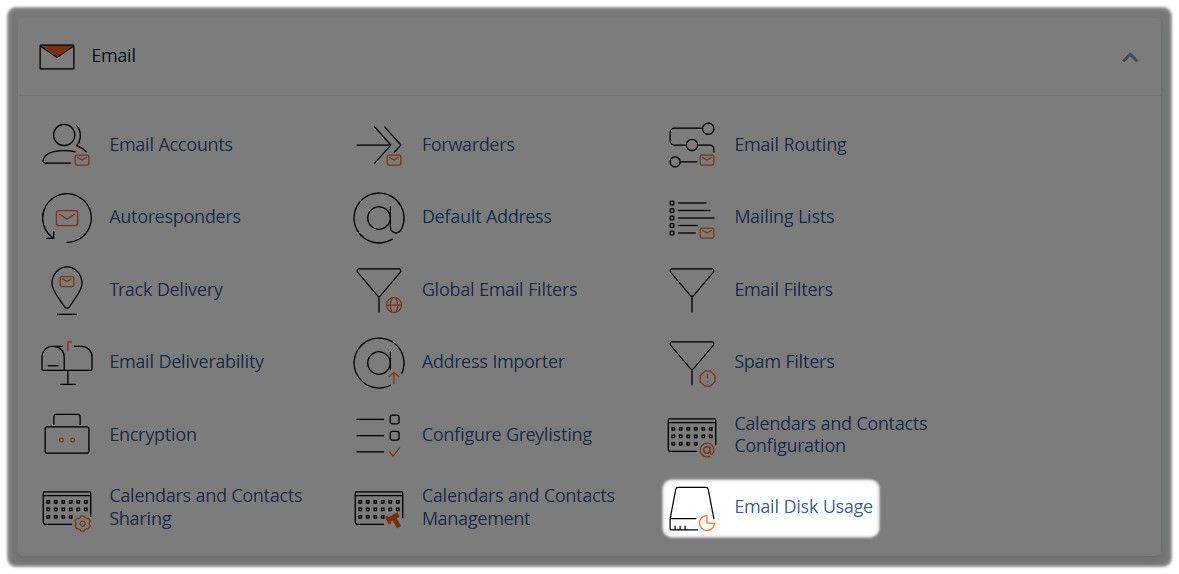
- Select "Email Disk Usage" from the "Email" sub-menu
2. Searching Mailboxes
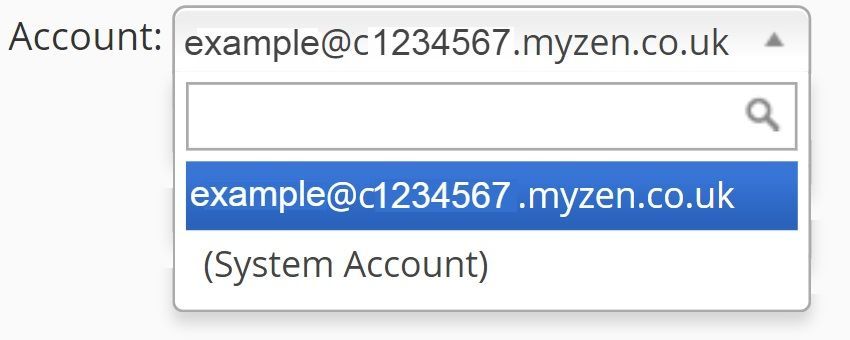
- Select the "Account", of the mailbox you want to check the quota for
- You have two options for searching mailboxes (folders):
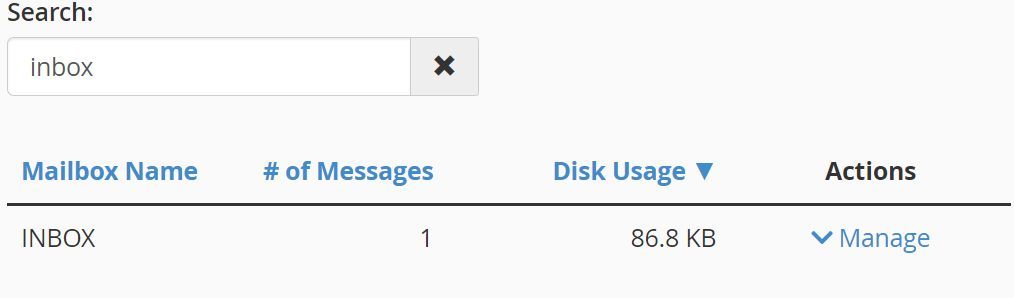
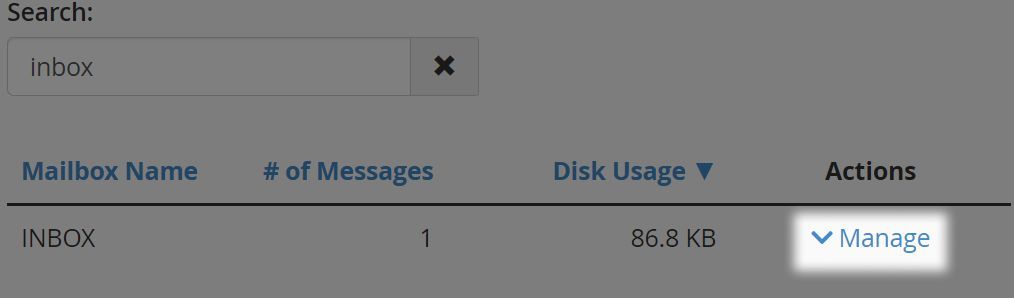
- "Search" for the mailbox you specifically wish to manage. Enter it's name in the free text field, and select the search icon
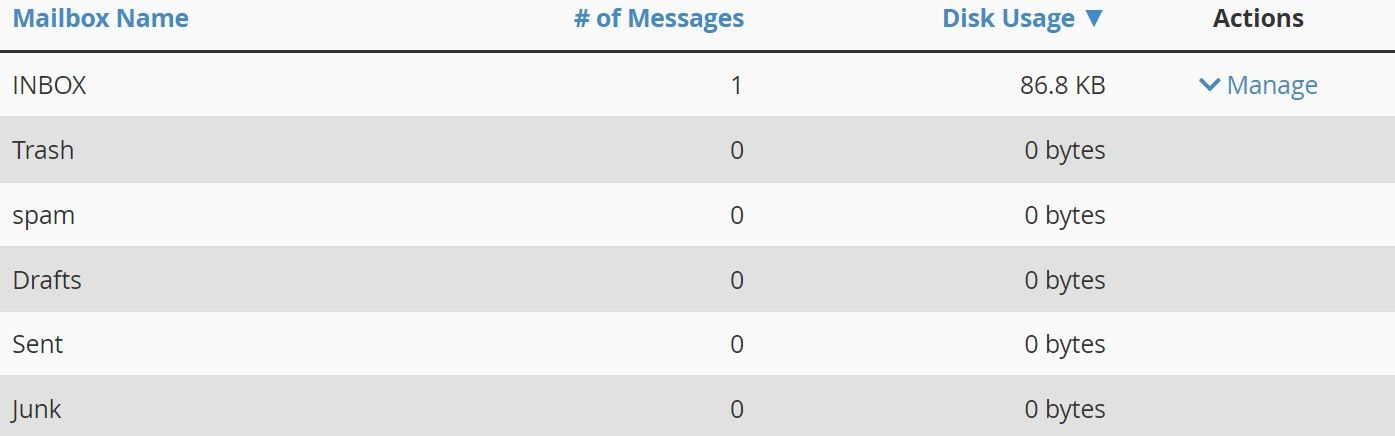
- If there is nothing input into the search field, you can view all mailboxes for an account in the table shown
3. Deleting Mailbox Contents
If your disk space is high, you can perform a mass deletion of any mailboxes within an email account, such as junk or trash.
Note: Before deleting the contents of a mailbox, consider making a backup of the data should you need this.
- Select the "Manage" button aside the mailbox you wish to perform a mass deletion on
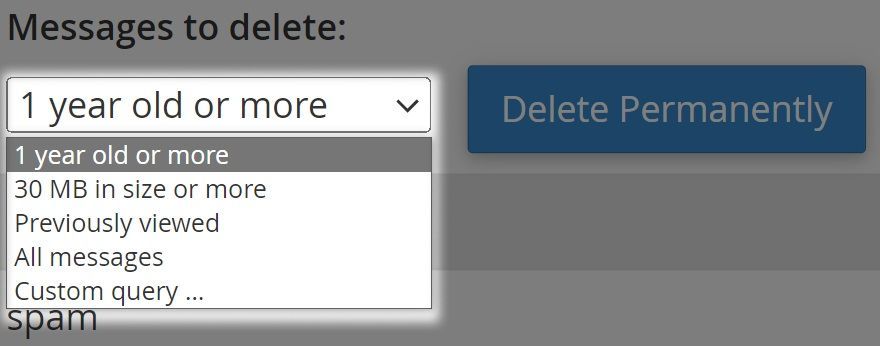
- Choose the 'Messages to Delete' option that best matches your requirements, such as deleting messages older than one year, larger than 30 MB, or using one of the other available criteria.
Note: We recommend using the standard deletion options provided within cPanel and avoiding custom queries. Custom queries are not actively supported and, if configured incorrectly, can result in unintended deletion of mailbox content. Using the built-in options helps ensure the feature works as expected and reduces the risk of data loss.
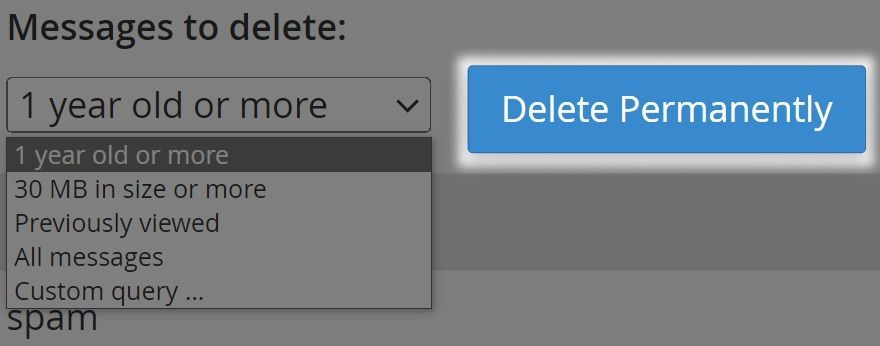
- Select "Delete Permanently" to purge the selected mailbox
Download the Zen mobile application to manage your broadband plans.


Apple and Apple logo are trademarks of Apple Inc. Google Play and the Google Play logo are trademarks of Google LLC.
