DECT Phone Call Diversion Setup
1. Navigating to Call Diversion Settings
- Start by finding the "FRITZ!Box Password" on the underside of your router
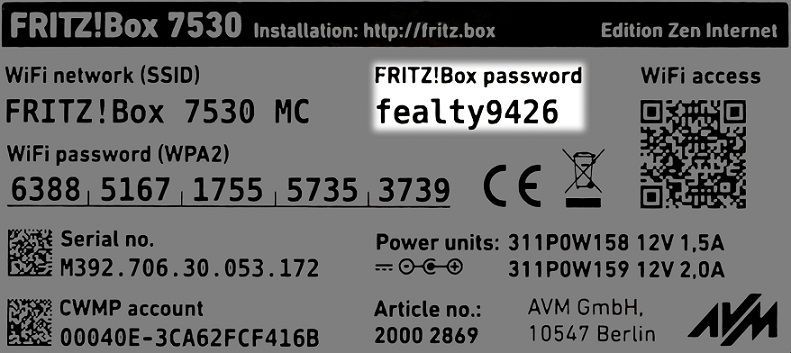
- Using one of your devices, open your web browser of choice and go to http://192.168.178.1 (when connected to your router via WiFi or a Wire)
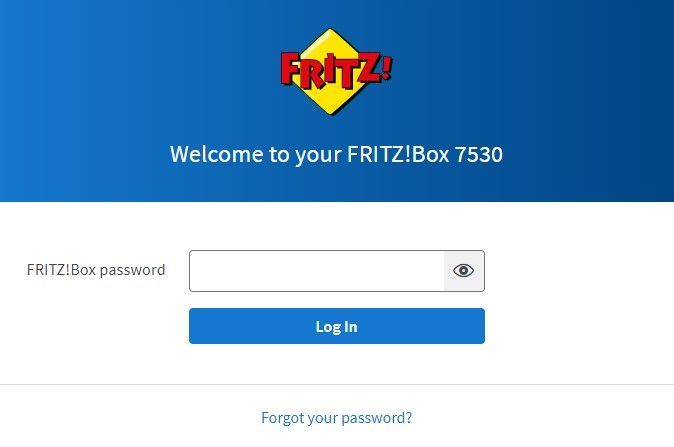
- You'll then be shown a log in screen with an empty "Password" field, enter the found password and click "Log In"
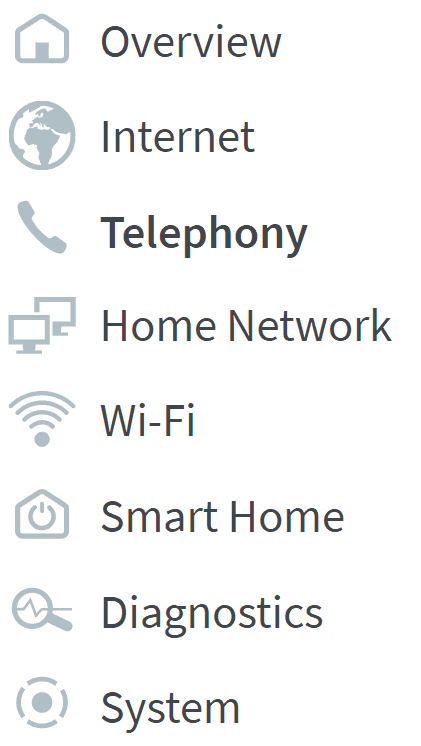
- Click the "Telephony" menu
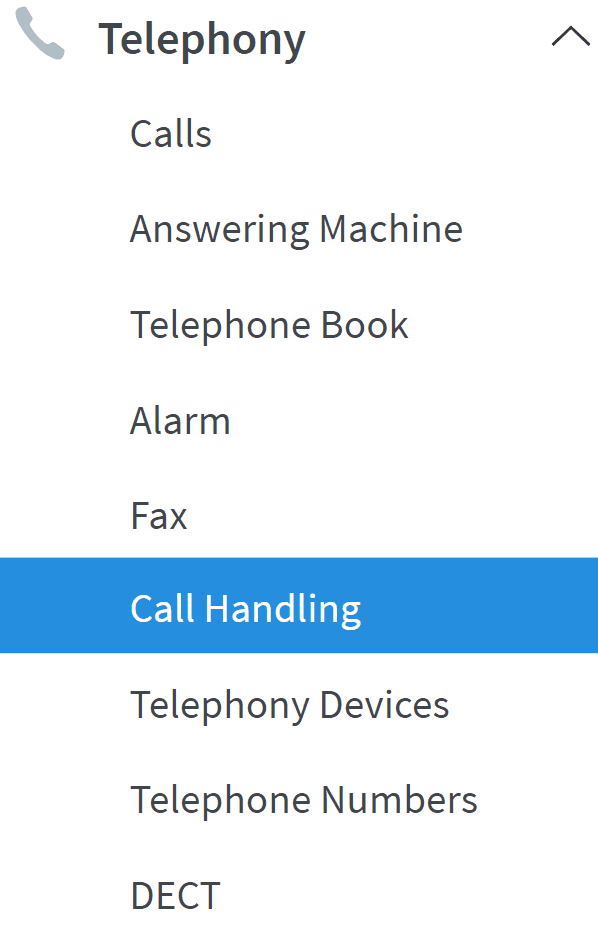
- Then click the "Call Handling" sub-menu
- Now select the "Call Diversion" tab

- Finally click the "New Call Diversion" button

2. Choosing Which Calls to Divert
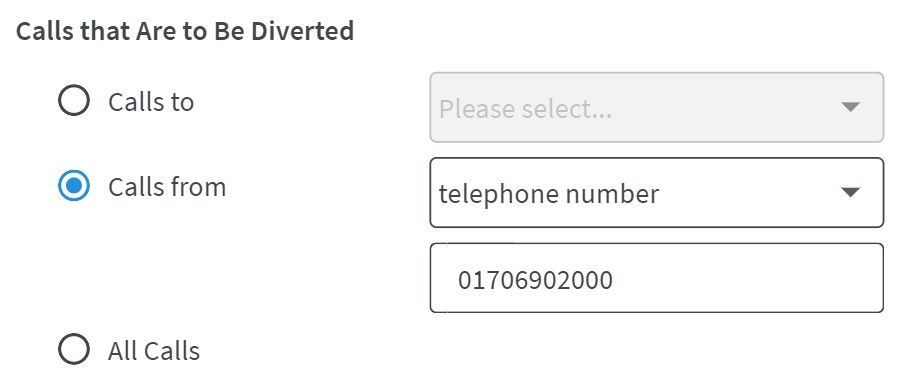
In the "Calls that Are to Be Diverted" section, select which calls/type of calls you want diverted;
| Which calls should be diverted? | Setting |
|---|---|
| All calls | Enable "All Calls" |
| All calls to a specific number | Enable "Calls to" and select the telephone number |
| All calls to a analogue phone connected to the FRITZ!Box | Enable "Calls to" and select the telephone |
| All calls from a specific person | Enable "Calls from", select "person in the telephone book", and select a person listed in a telephone book |
| All contacts in a specific telephone book | Enable "Calls from", select "telephone book", and select a telephone book |
| All calls from a specific telephone number or number range | Enable "Calls from", select "telephone number", and enter a telephone number or number range |
| All calls from anonymous callers | Enable "Calls from", select "without telephone number (anonymous)", and select whether only calls to a specific number or all calls should be diverted |
3. Where to Divert Calls
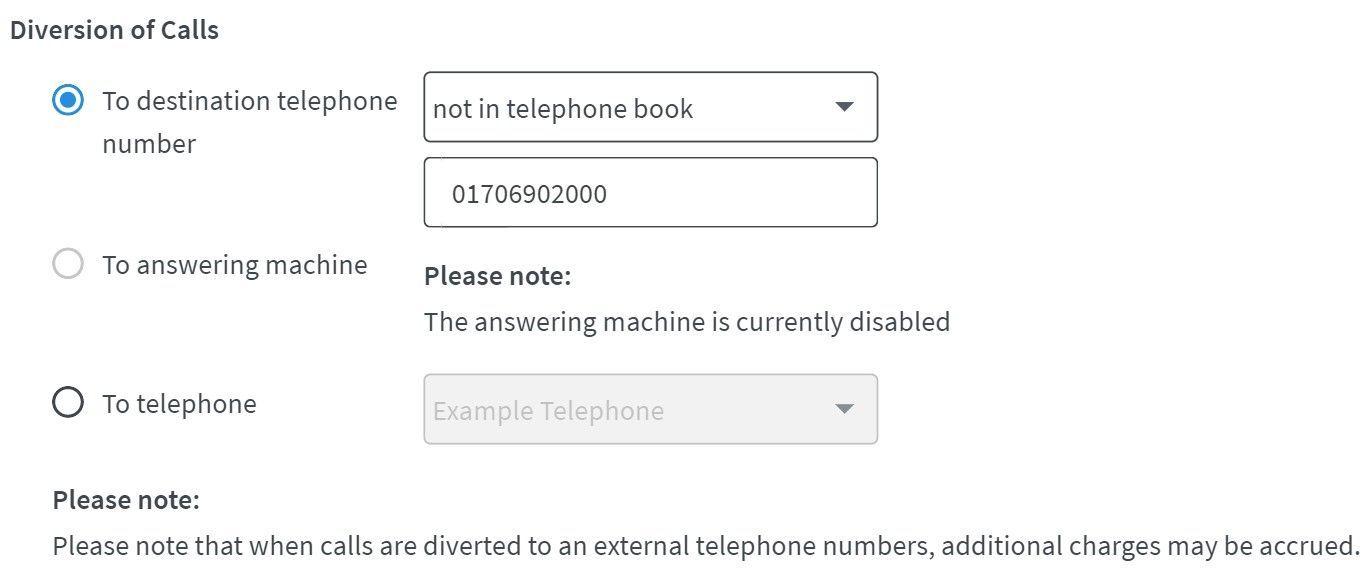
In the section "Diversion of Calls", define where calls will be diverted:
| Divert to where? | Setting |
|---|---|
| To an internal answering machine in the FRITZ!Box | Enable the option "To answering machine " and select an answering machine |
| To an external phone number | Enable the option "To destination telephone number " and select a telephone book entry or select "not in telephone book" and enter a number |
| To a connected telephone or an answering machine | Enable the option "To telephone " and select the telephone |
4. Finalizing Call Diversion
- Select your telephone number from the drop-down list "Telephone Number for Diversion"

- If you selected the option "Calls to" for what calls to Divert. Select the desired settings in the drop-down list "Condition of diversion", for example "immediately", "when busy", or "parallel call" based on your preference

- Click "OK" to save the settings
5. Setting a Diversion Schedule
You can use the schedule to automatically enable or disable call diversions from within the FRITZ!Box interface:
- Click the "Telephony" menu
- Then click the "Call Handling" sub-menu
- Now select on the "Call Diversion" tab
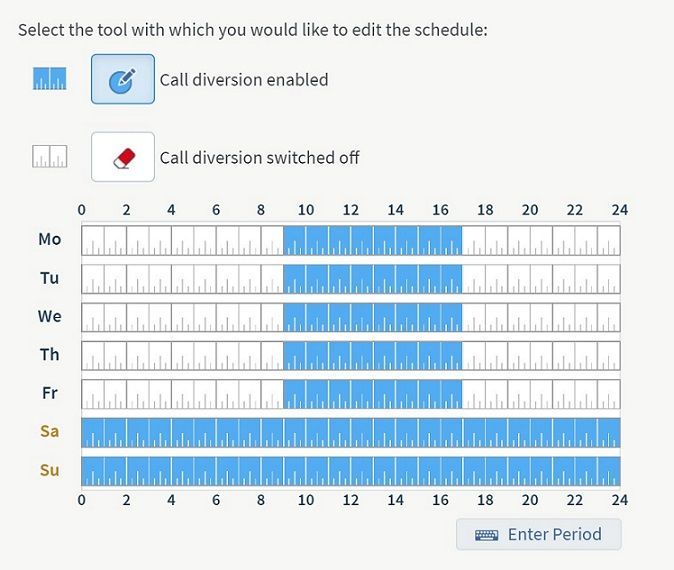
- Enable the option "Switch call diversion on and off by schedule"

- Under "weekly overview", select the times when call diversion should be on, by highlighting the desired times in blue
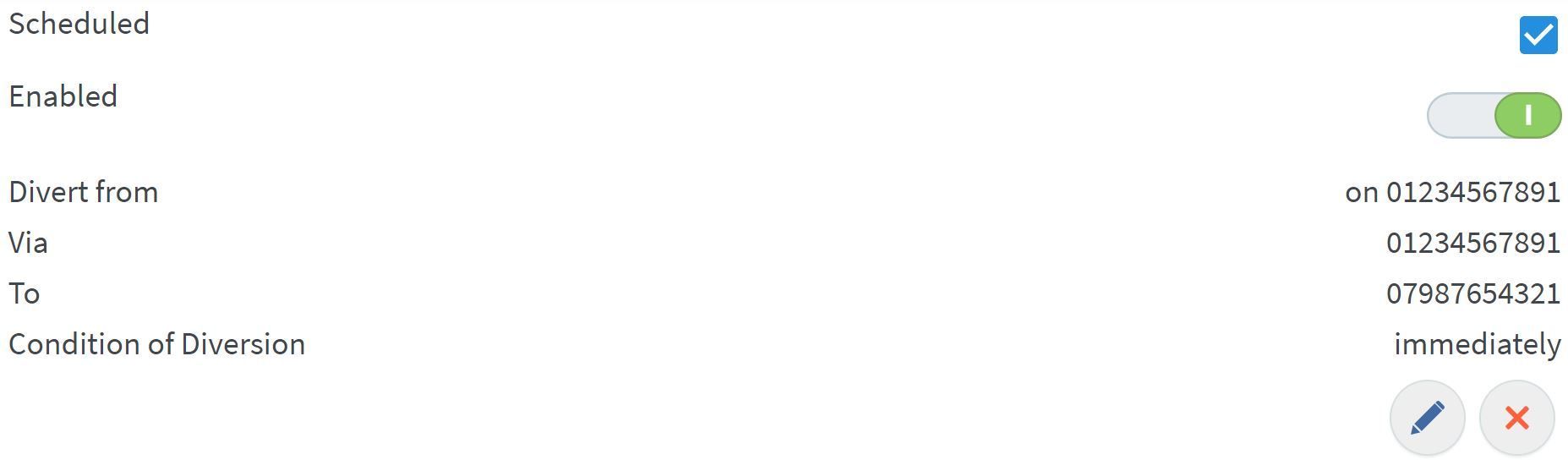
- In the list of call diversions, tick the "Scheduled" box, for the diversions you want to be affected by this schedule
- Click "Apply" to save the settings.
Download the Zen mobile application to manage your broadband plans.


Apple and Apple logo are trademarks of Apple Inc. Google Play and the Google Play logo are trademarks of Google LLC.
