How to Update the WiFi Name on your eero
1. Locating WiFi Settings in the eero App
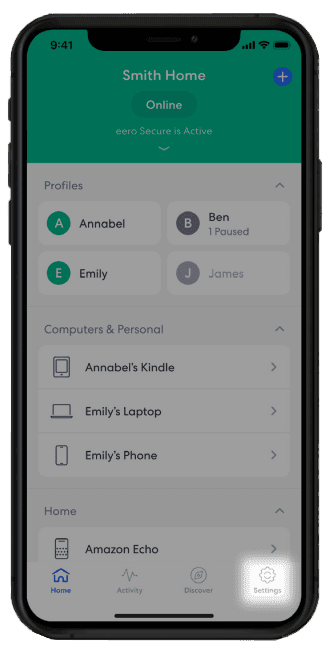
- Open the eero app on your mobile device, then select "Settings" at the bottom of the screen
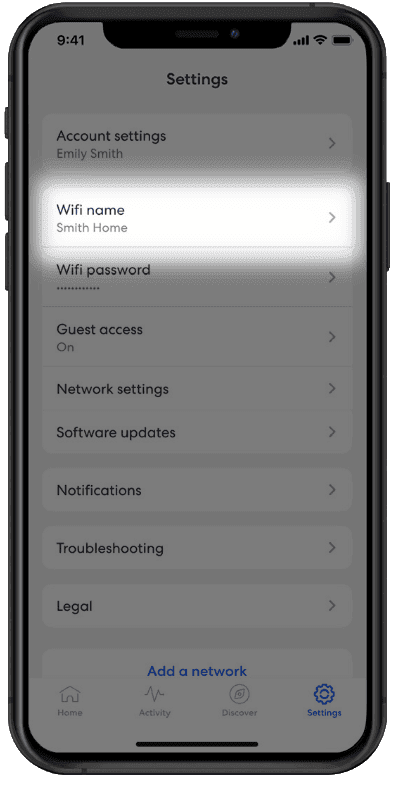
- Now select "Wifi name"
2. Setting a New WiFi Name
- Select the "Wi-Fi network name" to edit and enter a new name based on your personal preference
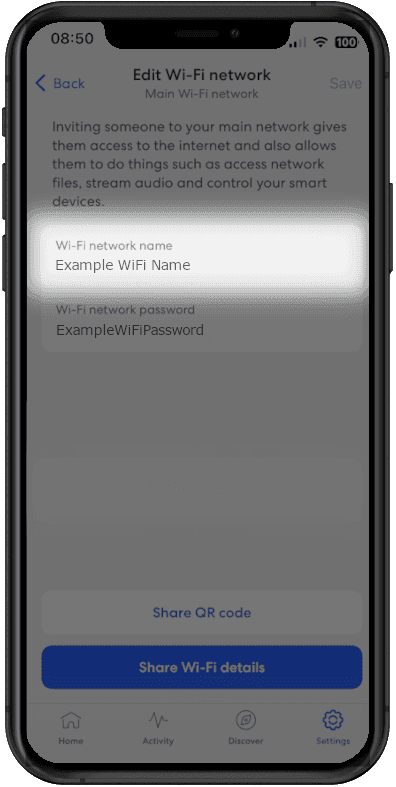
- Press "Save" and your new WiFi name will show on your devices as a network to join
NOTE: Changing the WiFi name may cause existing devices to disconnect. Simply reconnect these to the new WiFi Name using the existing WiFi password
Download the Zen mobile application to manage your broadband plans.


Apple and Apple logo are trademarks of Apple Inc. Google Play and the Google Play logo are trademarks of Google LLC.
