Mobile App Number Withholding Setup
1. Temporarily Withholding your Number
You can withhold your number for a single call using a call code *31#. Your caller ID will then be blocked for that call.
- Open the "Keypad" menu

- Enter *31# then the number you wish to call after it before dialing
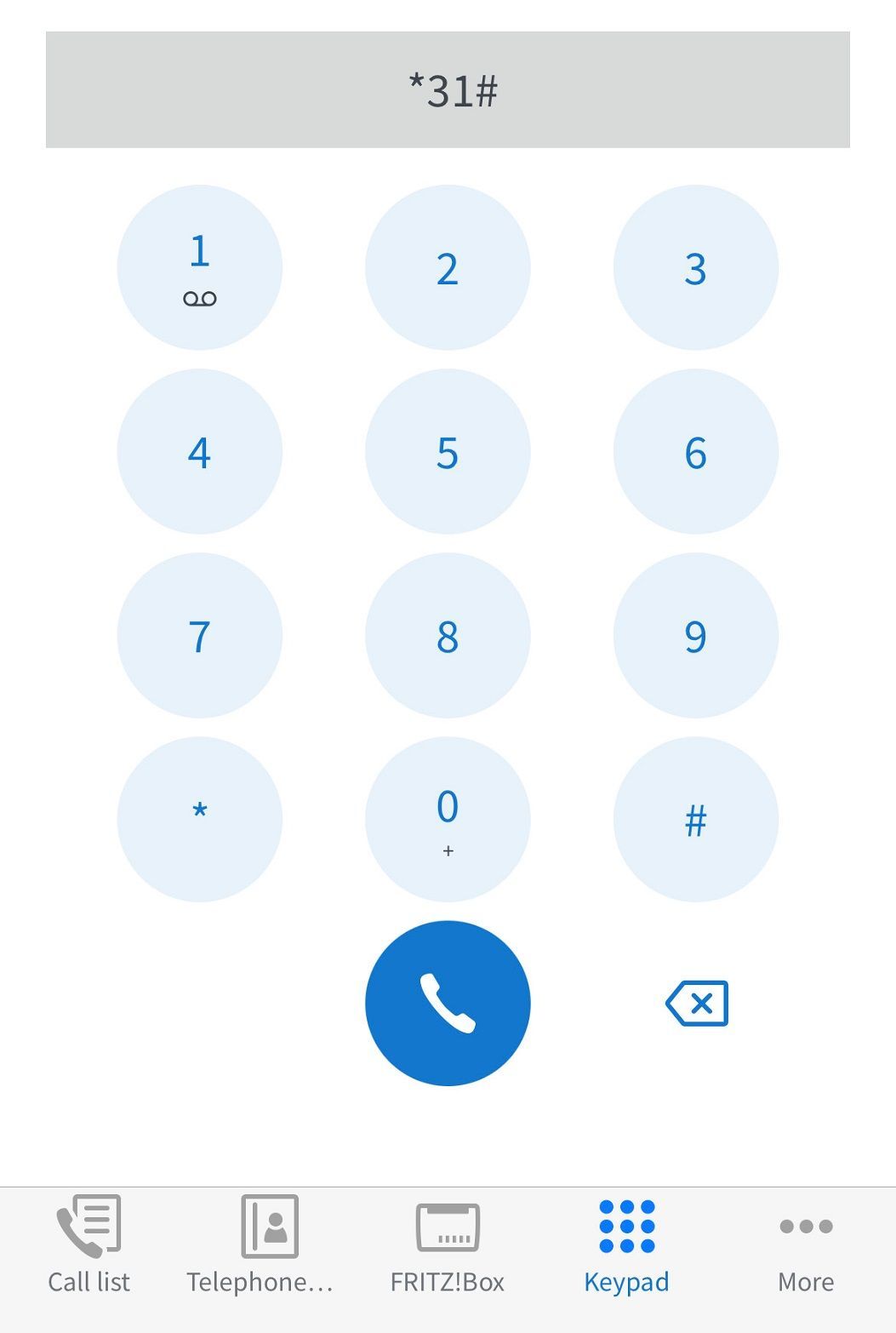
Example - Enter *31#01706902000 to block your caller ID when calling the telephone number 01706 902 000.
2. Permanently Withholding your Number
If you want to permanently withhold your number for all calls you can do this by making a couple of quick changes within your FRITZ!App Interface;
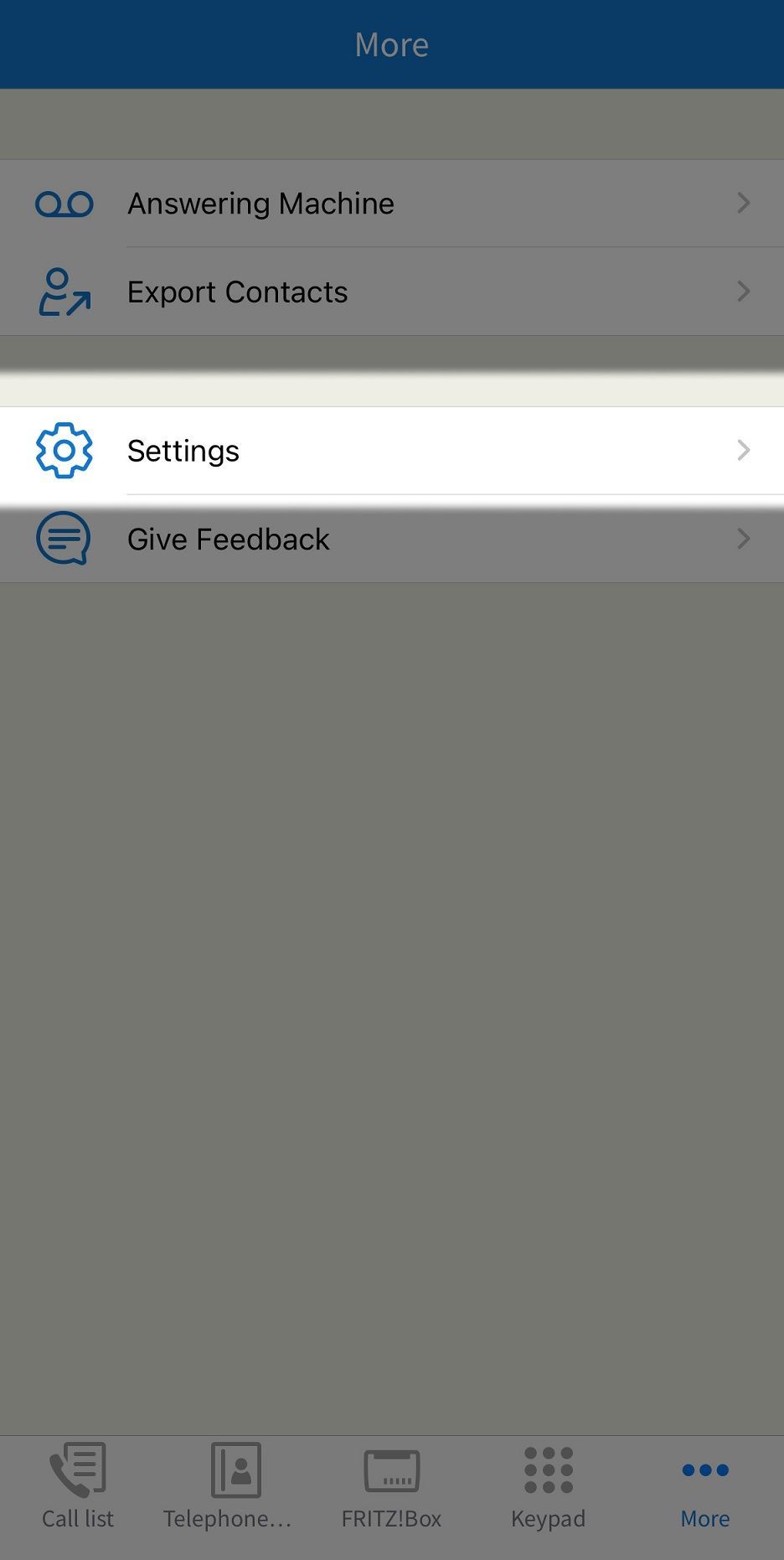
- Open the app and select the "More" menu

- Now select "Settings"
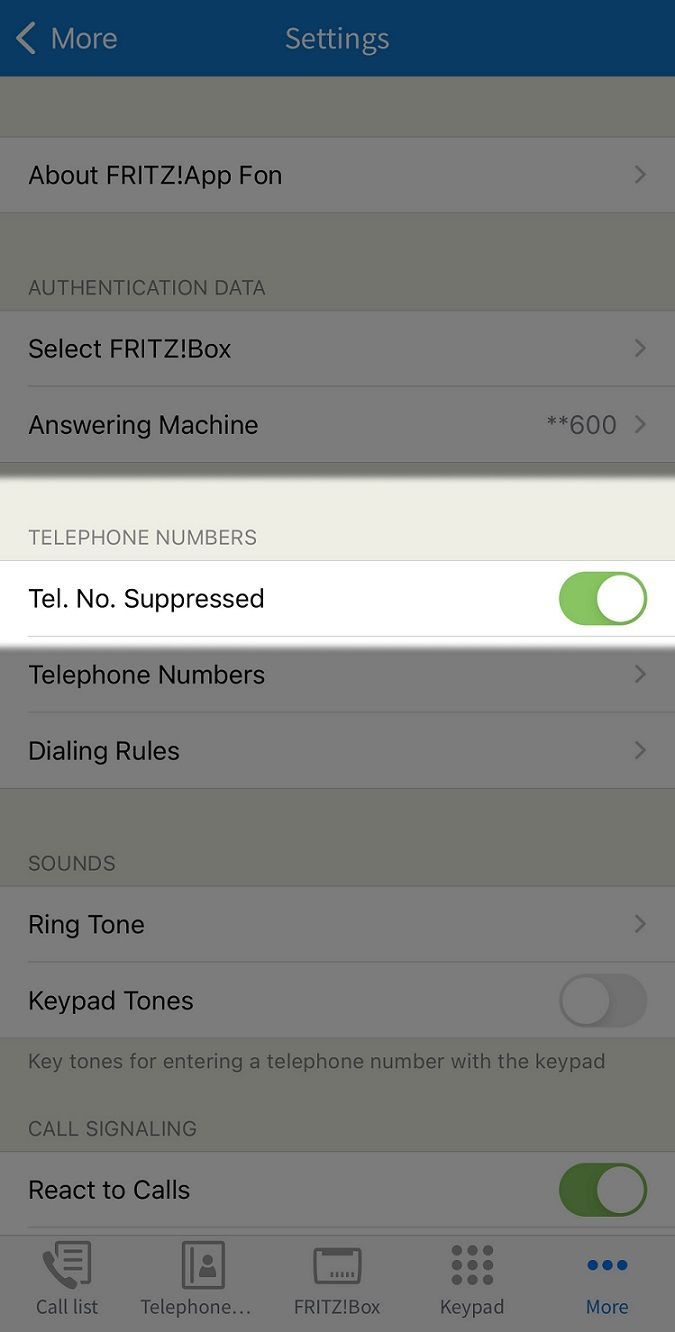
- You can toggle the withholding of your number by turning on the "Tel. No. Supressed" switch
Download the Zen mobile application to manage your broadband plans.


Apple and Apple logo are trademarks of Apple Inc. Google Play and the Google Play logo are trademarks of Google LLC.
