Zen Webspace Switch Off
Zen are switching off our Webspace, but what does this mean for you?
If you've been sent this guide from us, you've used your Zen Webspace in the past to either store images or host your static website.
As of 31/10/2023 we're shutting down this service, so if you no longer want the data on your Webspace, then great news, we'll handle the removal of your content safely and securely when we switch this off.
If you'd like to keep the content currently on your Webspace, we've prepared a step-by-step journey below where we show you what you need to do to access, download and even re-host your content if you'd like.
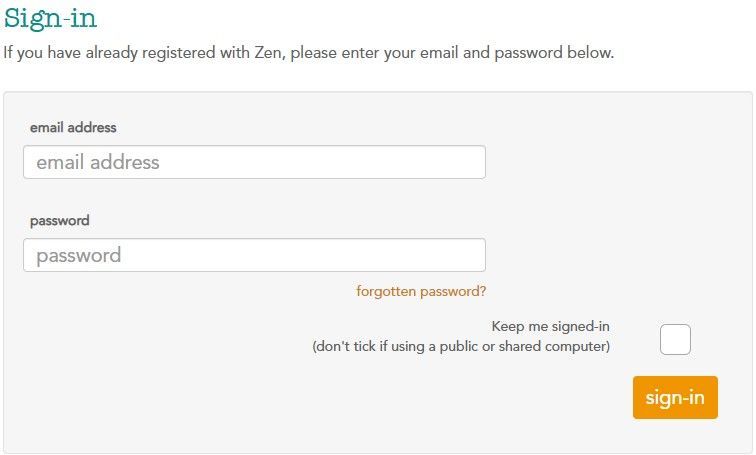
1. Logging into your Portal
- Browse to the Zen Customer Portal here, and enter your username or password
2. Finding your Technical Details
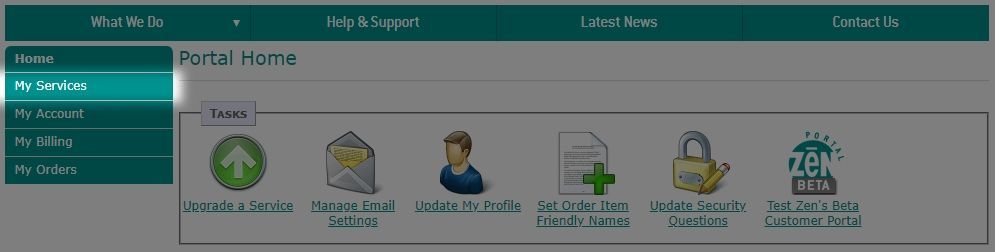
- Click the "My Services" tab at the side of the page
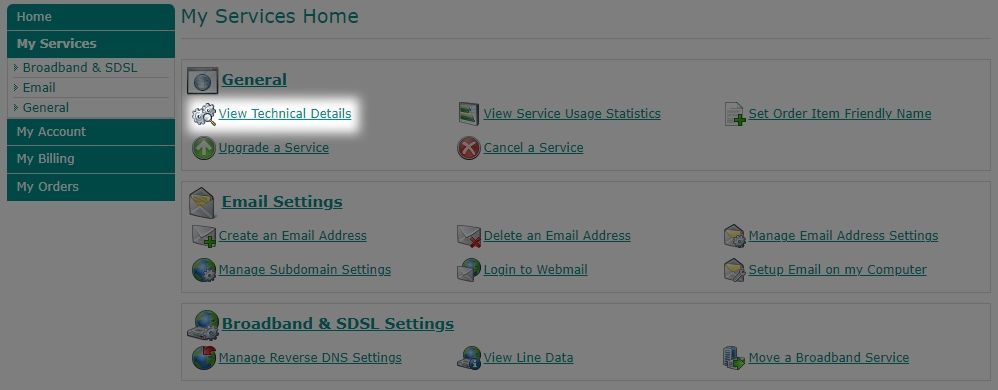
- Now select the "View Technical Details" option under "General"
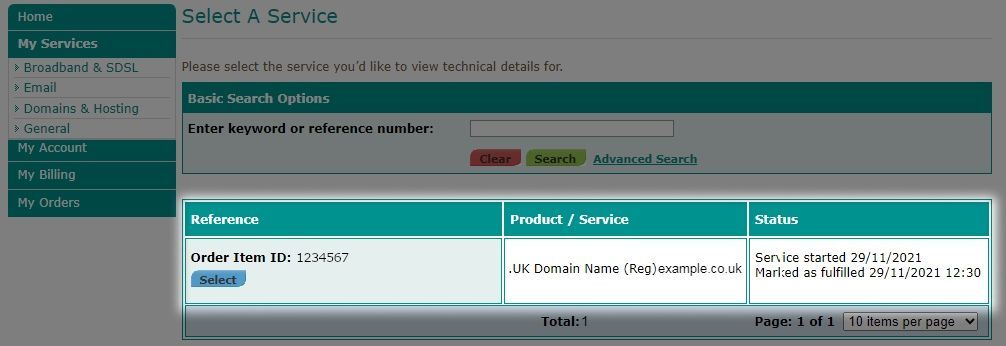
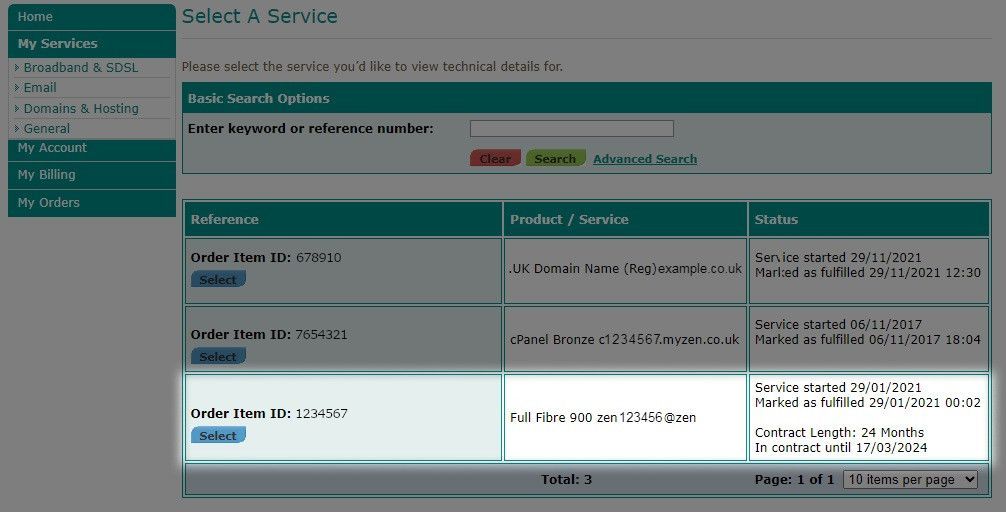
Please pick which of the below that matches what you now see on screen
If you only see a domain name (may include a cPanel) within the list, click the image below to continue
If you see any type of broadband service within the list, click the image below to continue
Download the Zen mobile application to manage your broadband plans.


Apple and Apple logo are trademarks of Apple Inc. Google Play and the Google Play logo are trademarks of Google LLC.
